Domain Monitoring Overview 🆕
Your site's health at a glance
Written By David
Last updated 10 days ago
Domain Monitoring is Cromojo's automatic health-check for your whole website. It runs quietly in the background and watches six things that, if they break, can cost you visitors, sales, or search rankings, usually before you'd notice on your own.
Where to find it
In Cromojo, open your site and click Domain Monitoring in the left sidebar. The Overview page shows a one-line status for all six checks, so you can see at a glance what’s healthy and what needs attention.
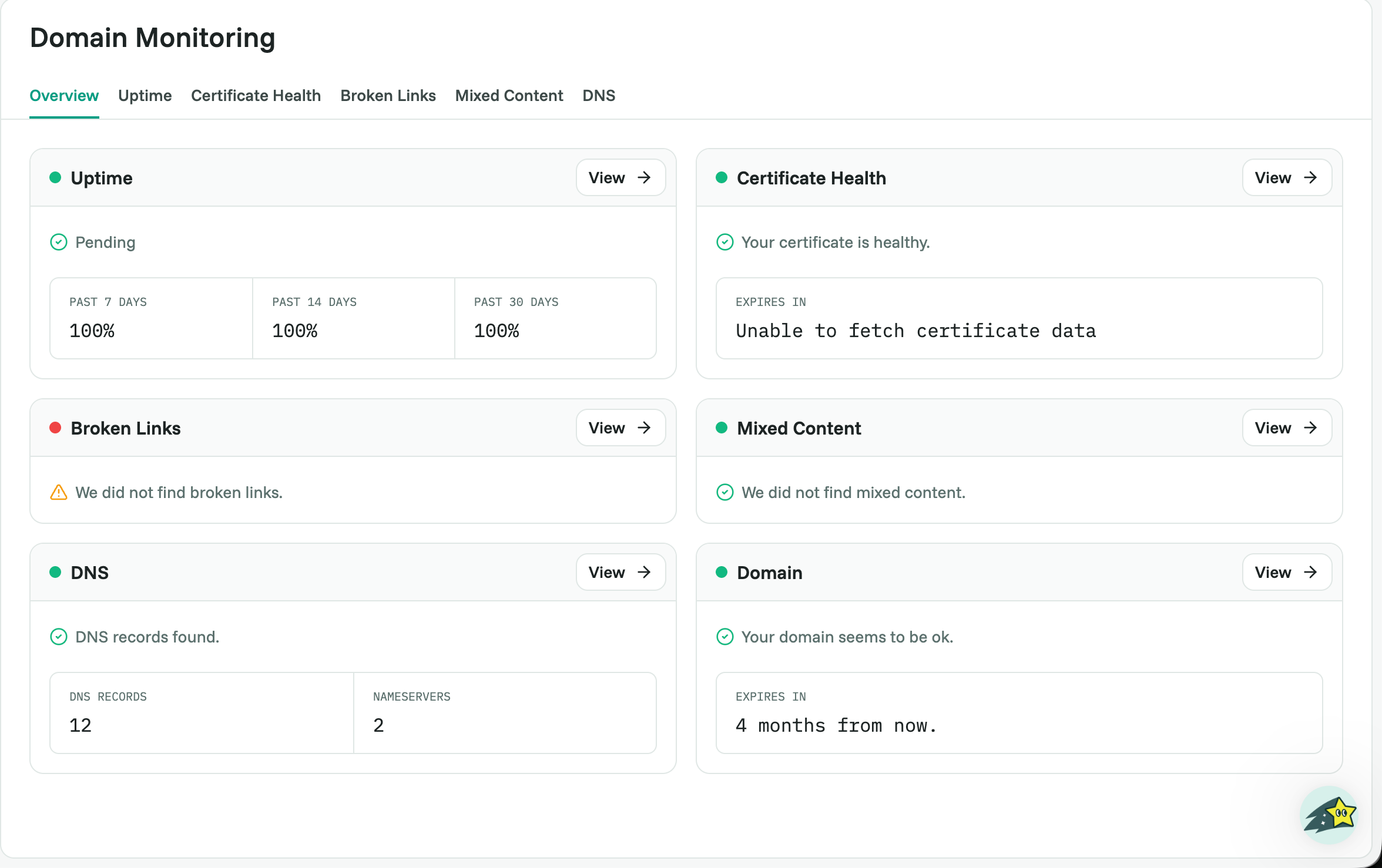
The six checks, in plain English
Each check has its own tab. Here’s what each one watches and why it matters to you:
Uptime: is your site online and reachable right now? If it’s down, visitors see an error instead of your page. (See Uptime Monitoring.)
Certificate Health: is your SSL certificate, the padlock in the address bar, valid? An expired one shows a Not secure warning that scares visitors away. (See Certificate Health.)
Broken Links: links on your pages that lead to dead ends. They frustrate visitors and waste Google’s crawl budget. (See Broken Links.)
Mixed Content: a secure (HTTPS) page loading some files over insecure HTTP. Browsers may block them or flag the page. (See Mixed Content.)
DNS: the behind-the-scenes records that point your domain name to your website. (See DNS & Domain Expiry Monitoring.)
Domain: when your domain registration expires. If it lapses, your entire site goes offline. (See DNS & Domain Expiry Monitoring.)
How to read the Overview
Each card shows a short status in plain words, for example "Up," "Your certificate is healthy," or "We found 10 broken links." Reassuring wording means you're fine. A number or a warning means: open that tab to see the details and fix it.
What to do next
Click any card (or its tab in the sidebar) to drill into the details. Each detailed view explains exactly what was found and how to fix it, the linked articles above walk you through each one step by step.
Related articles
Not sure what a result means? Email support@cromojo.com and we’ll explain it.