How to Opt Out of Tracking
Give your visitors (and yourself) a clear way out
Written By David
Last updated 10 days ago
Letting people opt out of analytics is both good practice and, in many places, a legal requirement. This article covers three things: how a visitor can opt out, how you can offer an opt-out on your site, and how you (the site owner) can exclude your own traffic and specific regions or pages.
Not legal advice. This article gives general, plain-language guidance, not legal advice. Privacy laws vary by country and by your role. When in doubt, consult a qualified privacy professional.
1. How a visitor opts out
Browser signals. Cromojo automatically ignores visitors whose browser sends Do Not Track or Global Privacy Control. Nothing needs to be set up.
Your cookie banner. With Returning visitor tracking (opt-in), a visitor who declines stays anonymous (cookie-free). Cromojo reads Google Consent Mode and IAB TCF automatically, or you can call window.CRMJ.setConsent('denied').
Not loading the script. You can still put the Cromojo script behind your consent tool so it only loads after the visitor accepts.
2. How to offer an opt-out to your users
Make opting out easy and visible. Good options:
A consent banner with an equal “Reject” button, the simplest compliant approach.
A short “Manage cookies / analytics” link in your footer that reopens the consent choices.
A plain-language line in your privacy policy explaining how to opt out, linking to this page.
Whatever you choose, honour the choice: if a visitor opts out, don’t load Cromojo (or don’t enable attribution) for them, and remember their preference so they aren’t re-prompted.
3. Hide pages or countries from your reports
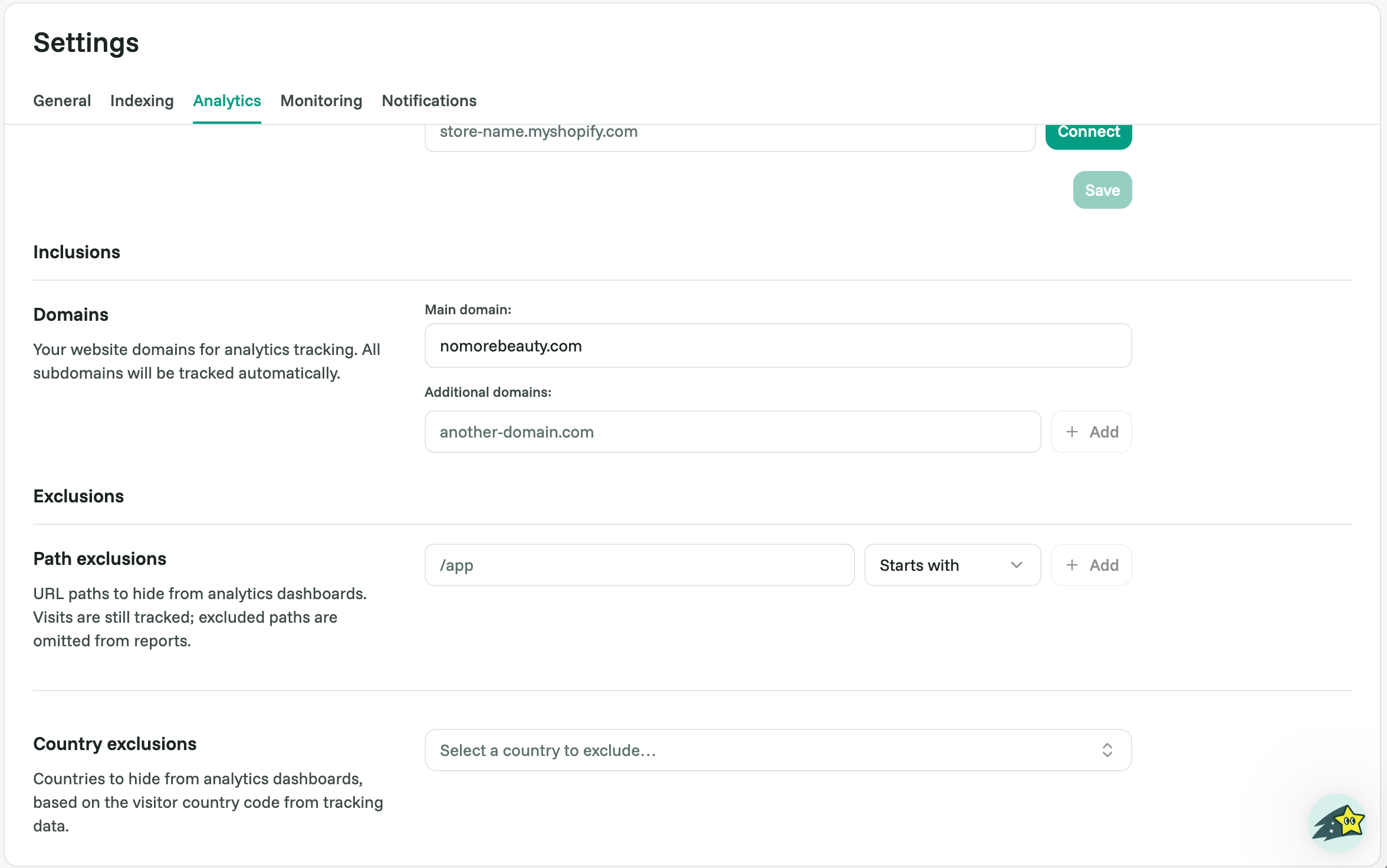
As the site owner, you can hide certain pages or countries from your own dashboards. Important: these are reporting filters, the visits are still tracked, they’re just left out of your reports. They keep your numbers clean; they are not a way to stop tracking, and not a visitor opt-out. Two options:
Path exclusions: hide specific URL paths (for example, anything that starts with /app or /admin) from your dashboards.
Country exclusions: hide whole countries from your dashboards, based on each visitor’s country code.
You’ll find these under Settings > Analytics > Exclusions (Starter plan and above).
As a reassurance for your visitors: Cromojo never stores raw IP addresses (an IP is used only briefly to estimate location), and raw events are deleted after 180 days, and report data after up to 5 years.
Best practice
Keep opt-out one click away, describe it in your privacy policy, and make sure rejecting is as easy as accepting. A visible, working opt-out is one of the strongest trust signals you can give privacy-conscious visitors.
Related articles
Was this helpful?
Still need help? Ask the team