Team Seats and Workspaces
Invite teammates and choose what they can access
Written By David
Last updated 14 days ago
On Pro plans and above, you can invite colleagues into your workspace. There's no limit on how many people you invite.
Where to find it
On the Sites page, click Team in the left sidebar (or Account Settings > Team).
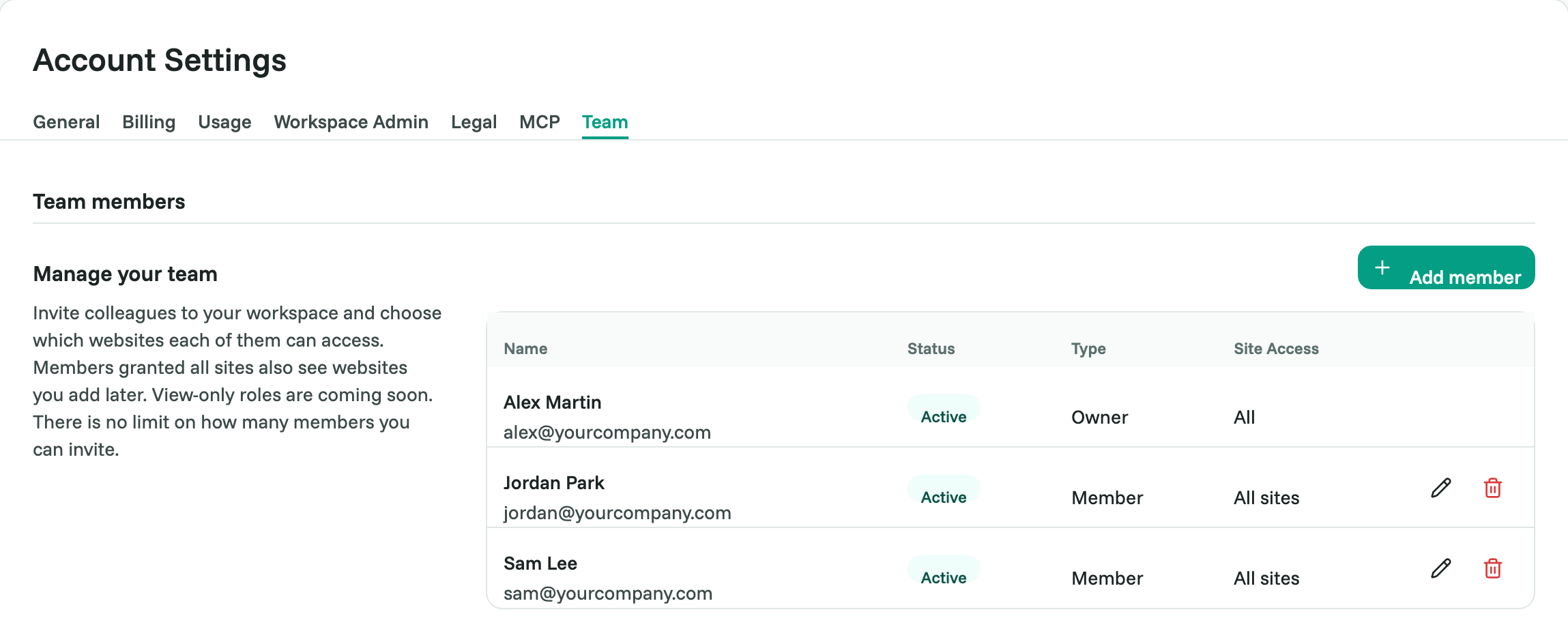
Invite a teammate
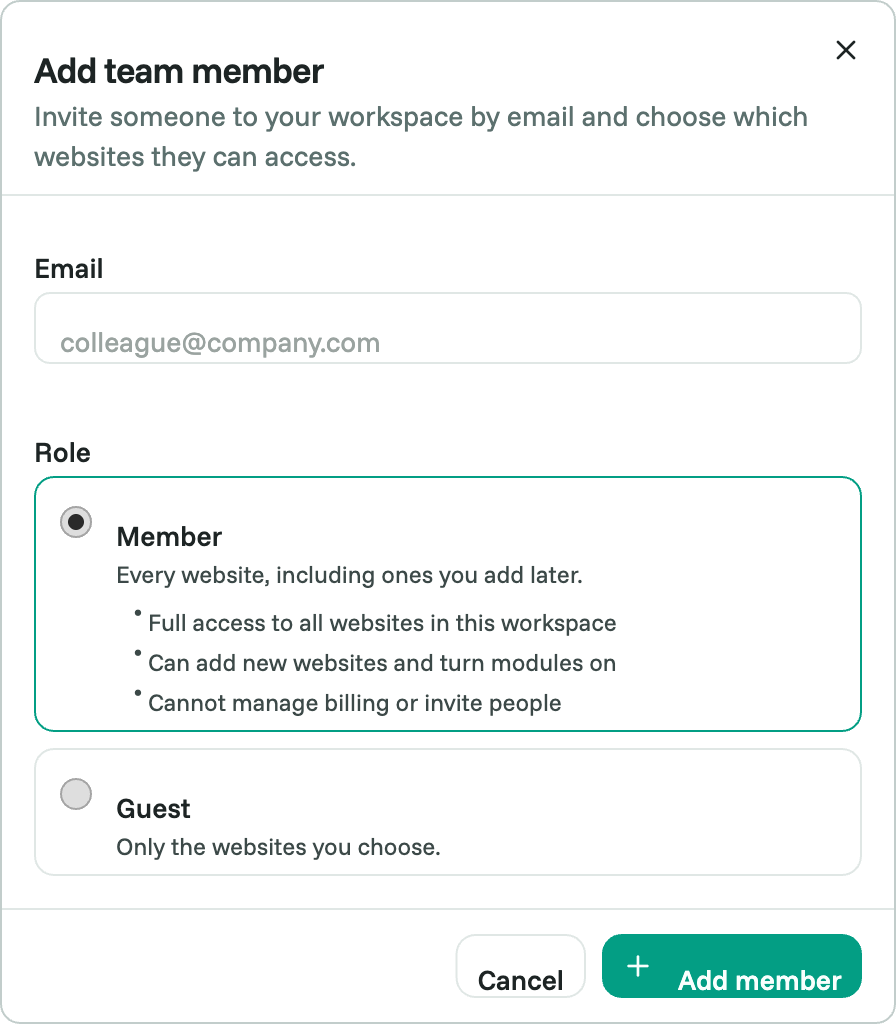
Click Add member.
Enter their email address.
Choose a role:
Member: full access to every website in the workspace, including websites you add later. Can add websites and turn features on. Can't manage billing or invite people.
Guest (Business and Agency): full access to only the websites you choose, and nothing else. Doesn't get websites you add later. Can't add websites or turn features on.
Click Add member. They get an email and sign in with that address.
Change or remove access
Use the actions next to a member to change their role or websites, or to remove them.
Workspaces
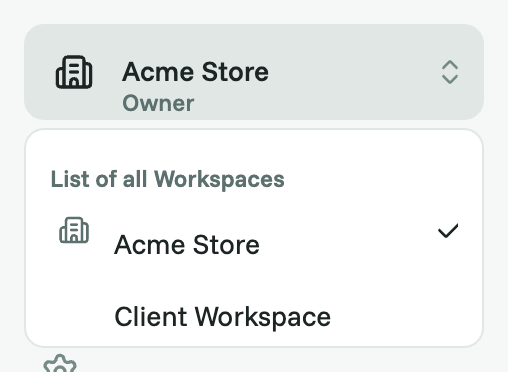
If someone invites you to their workspace, use the workspace switcher at the top of the sidebar to move between your own workspace and theirs. Billing, Team and Workspace Admin always belong to your own workspace.
Good to know
Members and Guests use the workspace owner's plan and limits.
View-only roles are coming soon.
Related articles
Was this helpful?
Still need help? Ask the team