Automatic event tracking
Forms, searches, contact links and missing pages, tracked with no setup
Written By David
Last updated About 7 hours ago
Cromojo records the most common actions on your website for you. As soon as the tracking script is installed, it counts form activity, clicks on email and phone links, site searches, missing pages, outbound links and file downloads. You don't write any code or create any events.
What Cromojo tracks automatically
Form started: a visitor clicks into a form field for the first time.
Form submitted: a visitor submits a form.
Clicked email link: a visitor clicks a mailto: link.
Clicked phone link: a visitor clicks a tel: or sms: link.
Site search: a visitor views a search results page on your website.
Page not found: a visitor lands on a missing (404) page. This one needs a small marker, see below.
Outbound link clicked: a visitor clicks a link to another website.
File downloaded: a visitor clicks a link to a file, such as a PDF.
These built-in events don't use any of your custom event slots.
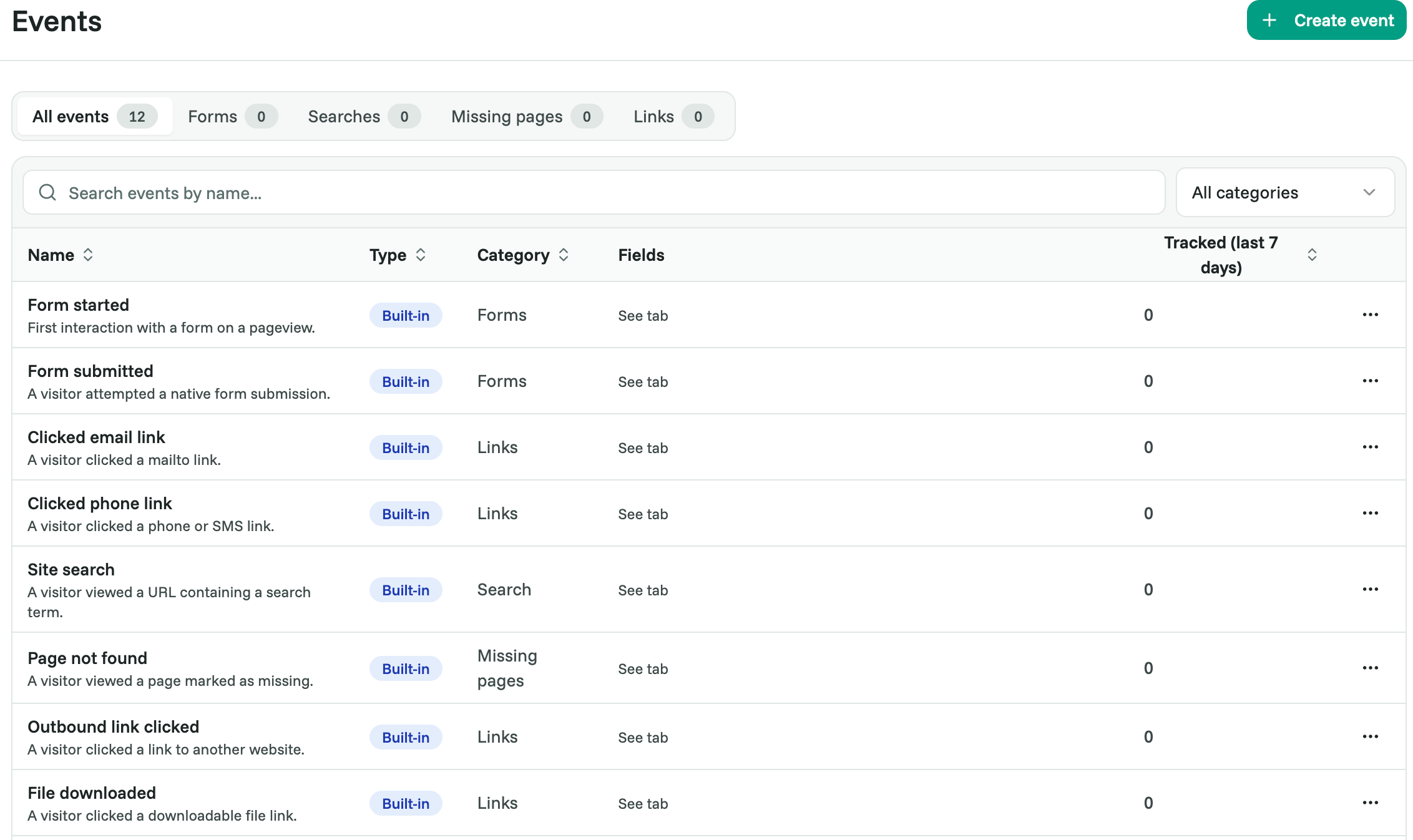
Where to find them
Go to Web Analytics > Events. Use the tabs to see each kind in detail. Every tab covers the last 7 days.
Forms: each form with its Starts, Submits and Session completion, the share of sessions that started the form and then submitted it.
Searches: what visitors searched for on your website, with the number of searches and sessions.
Missing pages: each missing page with its hits and the page that most often sent visitors there.
Links: email, phone, outbound and download clicks.
Get the most out of forms
Give each form a clear label, so you can tell your forms apart in the Forms tab:
<form action="/contact" method="post" data-analytics-label="Contact sales">A submit is recorded when the visitor sends the form. It doesn't prove your website accepted it. To count only successful signups or orders, send a custom event once the form is accepted (see Creating & Tracking Custom Events).
Site search
Cromojo spots a search from the address of the results page. By default it looks for these parameters: q, s, search, query and keyword. For example, yourdomain.com/search?q=shoes is recorded as a search for "shoes".
If your website uses a different parameter:
Go to Settings > Analytics > Site search.
Under Search parameters, enter up to ten parameter names, separated by commas, for example
q,term.Click Save.
Replace the tracking script on your website with the new one from Settings > Analytics. Your website keeps using the old setting until you do.
Clear the field to go back to the defaults. Searches that look like an email address or a phone or card number are never stored.
Missing pages
Cromojo can't see your server's error codes, so tell it which page is your 404 page. Add this line to the <head> of your 404 page template only:
<meta name="cromojo-page-status" content="404">Don't add it to the tracking script you install on every page.
Use them as goals
In Analytics > Events, open the ⋯ menu next to a built-in event and choose Use as goal. You'll also find built-in events in the goal and funnel pickers.
For a goal on a form, link or search, use Only count to count one specific form, link or search term, for example only your "Contact sales" form.
Goals count only when Settings > Analytics > Conversion Metrics is set to Goals. See Setting Up Conversions.
Leave something out
Add data-analytics-ignore to a button, link or form, or to a section around it, and Cromojo won't record clicks or form activity inside it. Page views are still counted.
Privacy
Cromojo never reads what visitors type into your forms. It only records that a form was started or submitted.
For email link clicks, the email address itself is hidden.
Visitors whose browser asks not to be tracked aren't recorded.
FAQ
Do I need to change anything on my website? No. Only the 404 marker and custom search parameters need a change, and both are optional.
I already send my own form or contact events. Should I keep them? Remove them if the built-in event measures the same thing, or you'll count the action twice.
Can I name a custom event like a built-in one? No. Built-in names are reserved for new custom events.
Related articles
Was this helpful?
Still need help? Ask the team