Uptime Monitoring 🆕
Know the moment your site goes down
Written By David
Last updated 10 days ago
"Uptime" simply means: is your website online and working? Cromojo checks your site around the clock, so the moment it goes down you'll know, instead of hearing about it from an annoyed customer.
Where to find it
Open your site in Cromojo, go to Domain Monitoring, and click the Uptime tab.
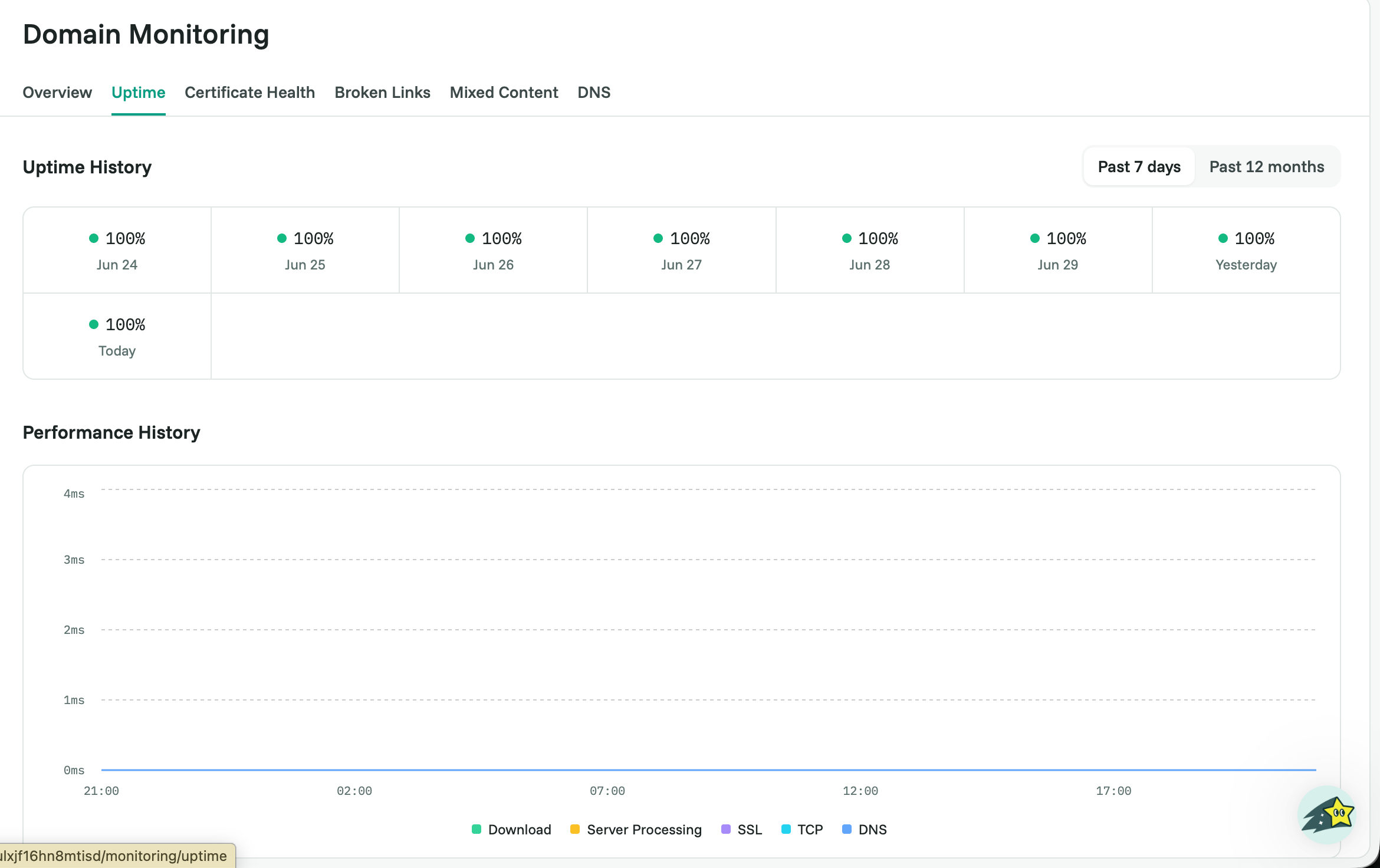
What you’ll see
At the top, a simple status: Up (online) or Down (unreachable). Below it, your uptime percentage over the past 7, 14, and 30 days, the share of time your site was online. 100% is perfect; anything lower means there was some downtime in that window.
Why this matters
Every minute your site is down, visitors hit an error page instead of yours. That means lost sales, lost trust, and, if it happens while Google is crawling, lost rankings. Spotting downtime quickly lets you fix it before it costs much.
If your site is down, try this
Open your homepage in a browser to check whether the whole site is down or just one page.
Check your hosting provider’s status page for a known outage.
If you recently changed your hosting, domain, or DNS, that’s a common cause (see DNS & Domain Expiry Monitoring).
If everything looks fine on your end but Cromojo still reports downtime, email support@cromojo.com and we’ll investigate with you.