Hey Cromojers,
We've changed how CROMOJO is priced, and we want to explain why rather than just drop a new page on you.
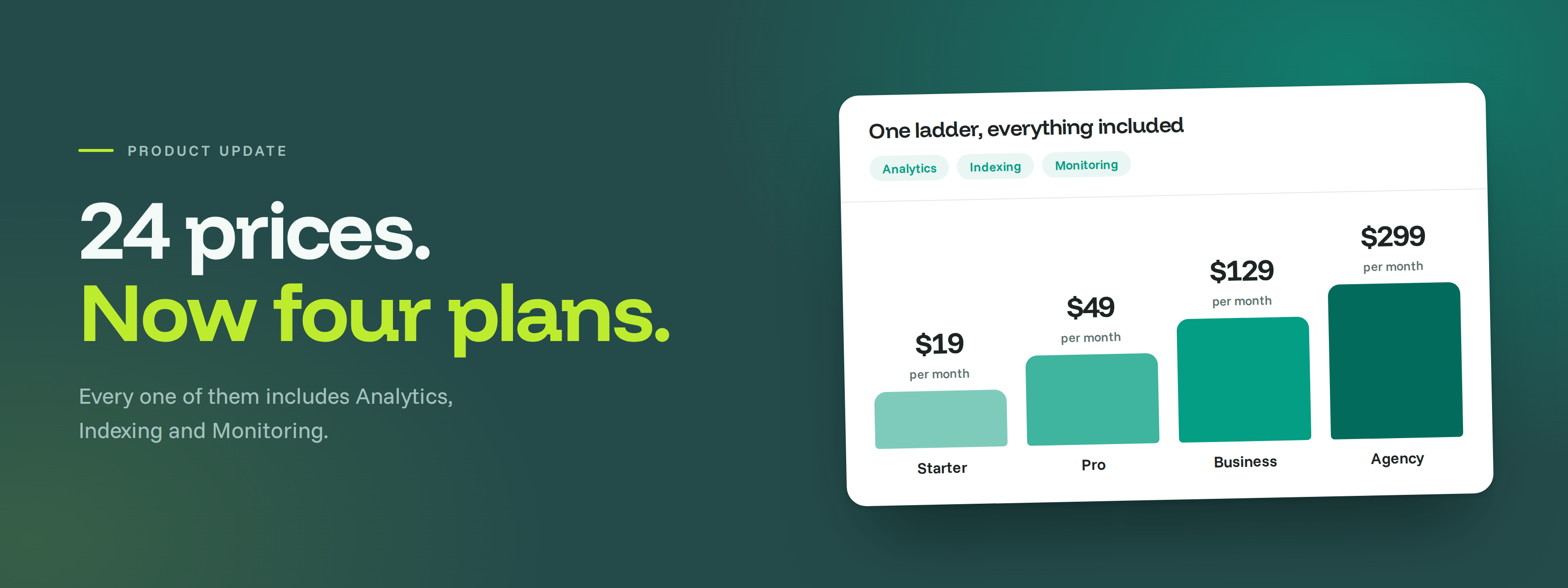
When we built the old pricing, we were trying to give you flexibility: buy Analytics, Indexing and Monitoring separately, pick a tier for each, choose your billing period. On paper that's freedom. In practice it meant 24 different prices and a decision tree you had to work through before you'd even tried the product. Several of you told us it was confusing, and you were right. Flexibility that nobody can navigate isn't flexibility.
So there's now one ladder of plans, and every paid plan includes all three modules.
Before anything else, the important part: if you're already paying us, you've been moved up to a bigger plan automatically, you've lost nothing, and your price stays exactly where it is for the next 12 months. Details at the bottom.
🎯 Why everything is included now
The bigger reason is that what we're building has changed. We started as a tracker: numbers, charts, KPIs. That's table stakes now, and knowing your numbers isn't the same as knowing what to do about them.
Where we're taking CROMOJO is toward telling you what's actually wrong and how to fix it. The Google Indexing rebuild we shipped is the first real piece of that: instead of showing you a list of pages Google skipped, it now groups them by cause and tells you, page by page, what to change.
That kind of recommendation only works when we can see the whole picture. A page can be slow, un-indexed and losing you revenue at the same time, and we can't join those dots if you only bought one of the three modules. Bundling isn't a packaging trick here, it's what makes the advice possible.
✨ A free plan, no card required
You can now run core Analytics and Google Indexing on one site without paying anything: 10K monthly impressions, 25 URLs a day, one service account, 12 months of data retention. Monitoring isn't part of Free.
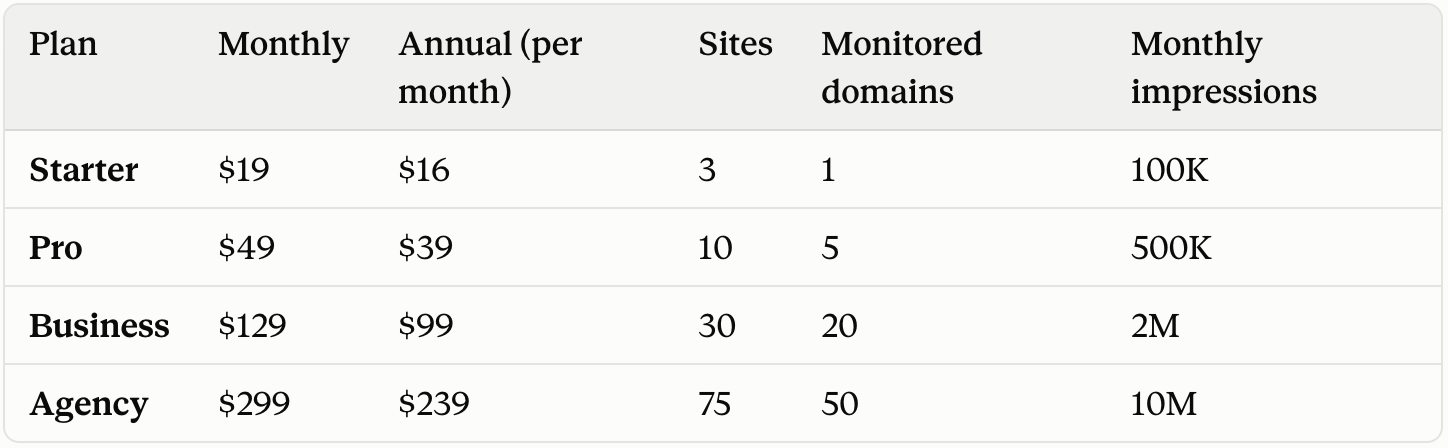
Every plan includes Analytics, Indexing and Monitoring, so you're choosing a size rather than assembling a bundle. Two other things scale with your plan: the daily indexing quota (300, 600, 1,200 and 2,400 URLs) and the number of pages tracked for performance (100, 400, 1,500 and 6,000).
📊 Overage you have to switch on yourself
From Pro upward you can go past your included impressions at $0.10 per 1,000, dropping to $0.05 on Business and $0.03 on Agency. It's off by default, and we won't bill you for overage unless you've explicitly enabled it. On Free and Starter, ingestion simply stops at the limit.
A quick word if you're already a customer
You've been moved up to a bigger plan, at your current price. Log in and you'll find the full bundle already switched on, with more sites, more daily URL submissions and more analytics volume than you had. Nothing you have today gets smaller.
Your price is locked for 12 months. You keep paying what you pay today until the 13th month, and only then does the new plan's list price apply. You'll hear from us three times before that: at 9 months, at 11 months, and two weeks before the date. Switching to annual billing lowers that price, and you can lock it in at any point during the year.
Legacy and AppSumo deals keep their rights. Lifetime deals and older Stripe plans keep their contractual allowances, and a lifetime entitlement stays yours independently of any new subscription.
Your Analytics history stays at five years.
Take a look at the new plans on your billing page. If your setup doesn't map cleanly onto one of them, or the maths isn't obvious, just hit reply and we'll work it out with you.
The CROMOJO team